
Our own product for digital invitations — built and operated entirely by us.
Overview
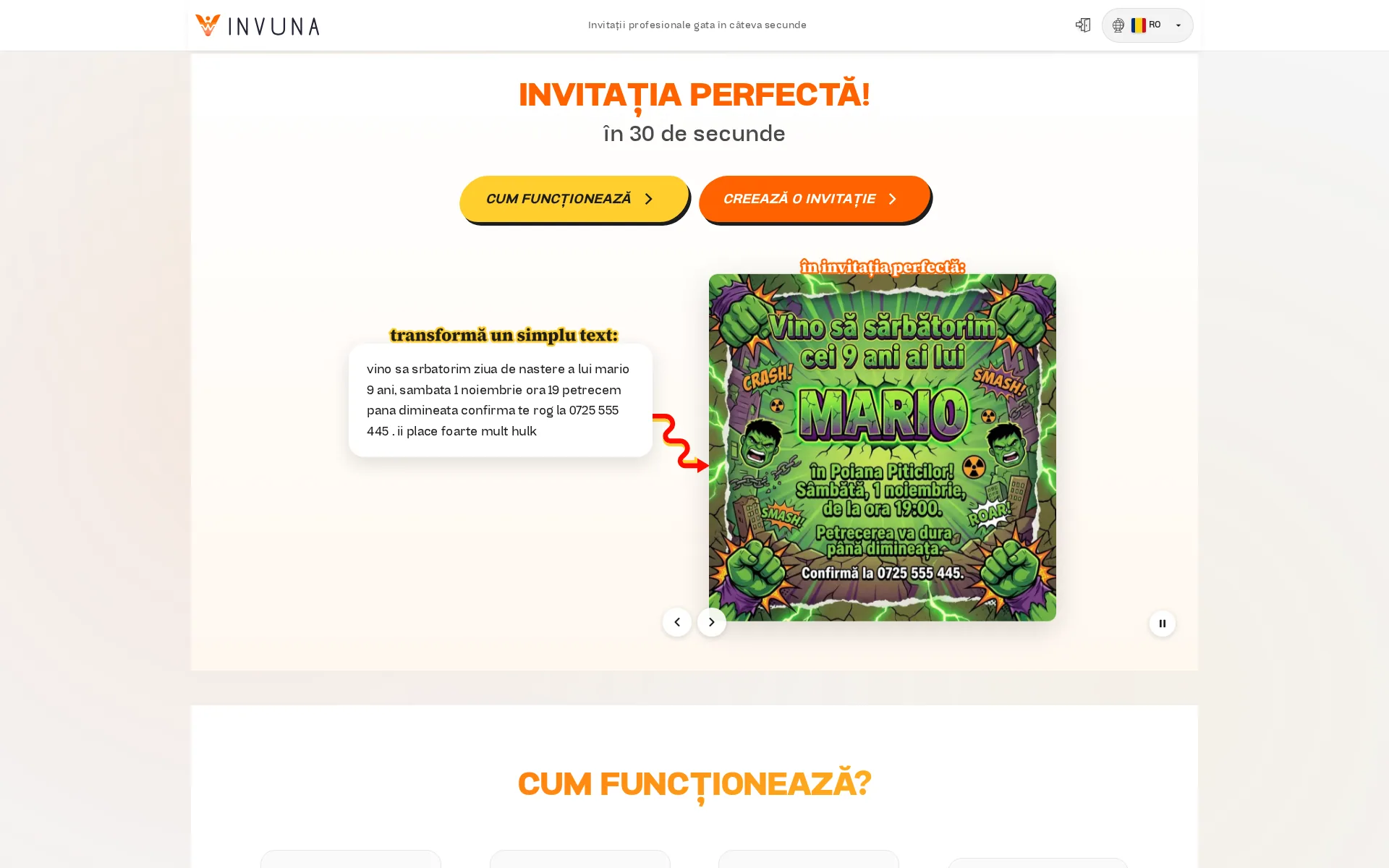
Invuna is our product, from strategy to maintenance. Design, code, infrastructure — we are responsible for building it and for running it after launch. A user describes an event in plain language; the product writes the copy, generates the artwork, assembles the card, and sends it across WhatsApp, Telegram, Instagram Story, Facebook, email, or a direct link. Auth, payments, multilingual routing, RSVP dashboard — all of it built by us. Live at invuna.com.
This is not a client project. Here the decisions, the costs, and the consequences are ours.
The product at a glance
- 3
- Languages live
- 6
- Sharing channels
- 2
- AI models in the flow
- 1
- One-off payment, no subscription
The Challenge
Nearly every invitation tool starts in the same place: pick a template, crop a photo, fill in thirty form fields, and hope the result doesn't look like a 2015 eCard. The templates are generic, the design systems are rigid, and the words on the invitation — the actual content — are left entirely to the user. The hardest part of the job lands back on the person who needed help with it.
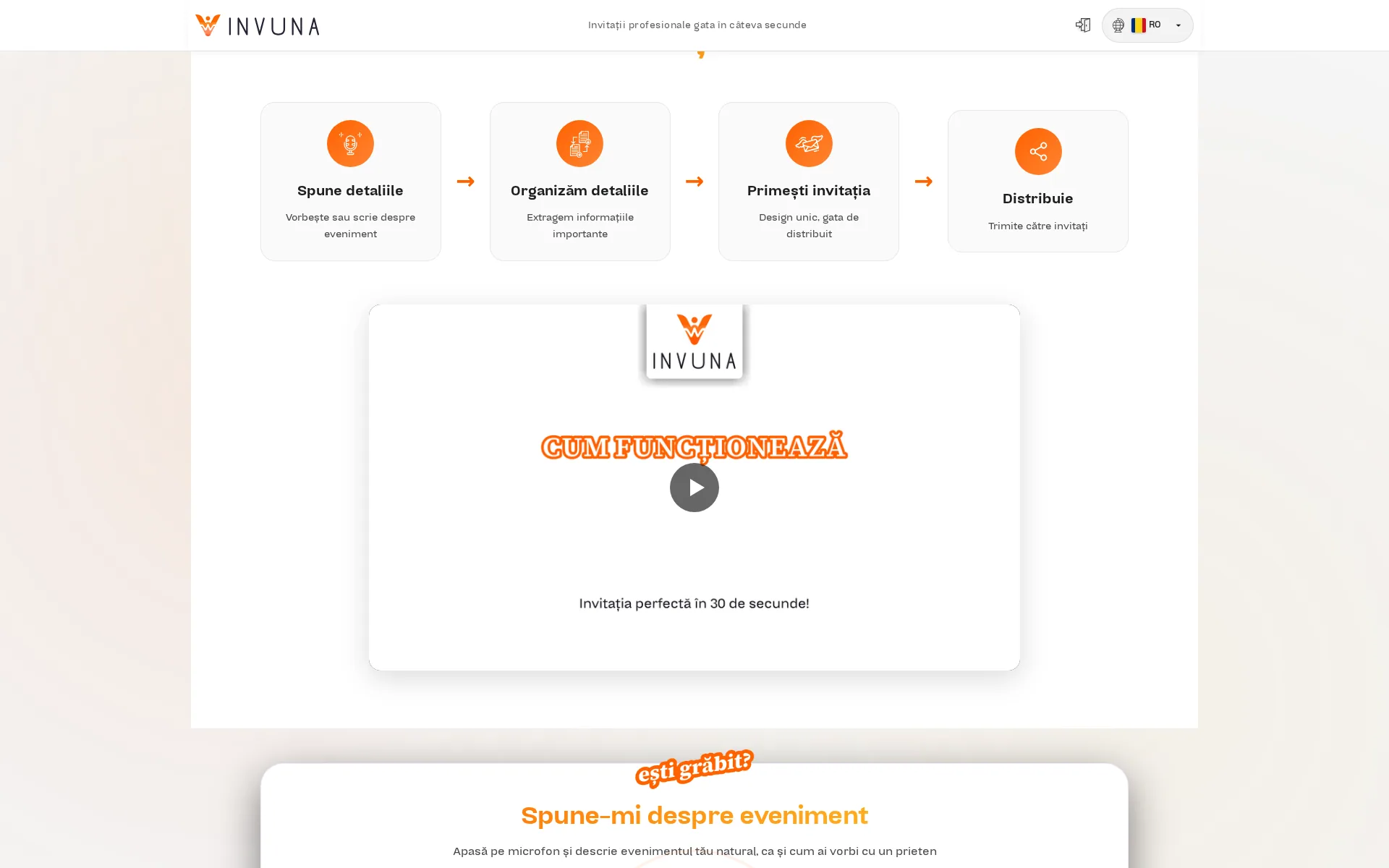
We wanted to find out what happens when the software takes on the part users struggle with most. You describe the event. We generate the words, we generate the visuals, we handle the sharing, we track the responses. The user describes the moment; they don't become an amateur graphic designer at 11pm before a baptism.
01 · The single input
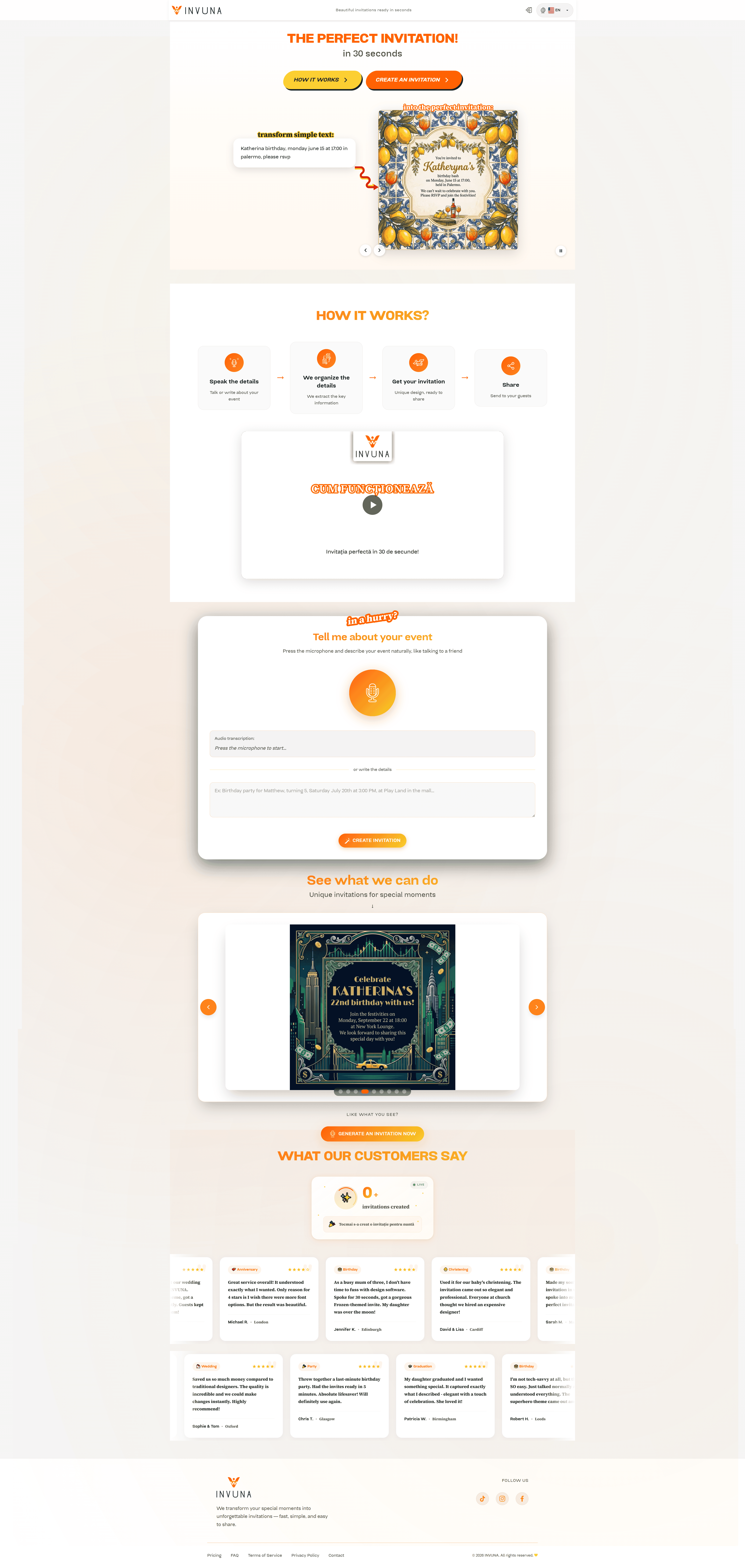
Doing that end-to-end meant building a complete application, not a marketing page with a sign-up form. Authentication. Payments. AI pipelines for both text and imagery. An RSVP system with guest tracking. A calendar that respects time zones. Multilingual routing. Usage analytics. Legal pages. Everything a consumer product actually needs.
The Approach
We chose the stack around what the product required, not around what was fashionable.
No WordPress. It was not the right fit for an interactive flow with generation, accounts, payments, and multiple states for the same event.
No React framework either. The product is consumer-facing, has to load fast on phones, and didn't need the abstractions of Next.js for its core flow. We kept the interface light so it stays quick on mobile connections.
Vanilla JavaScript on the frontend, Express on the server, DigitalOcean App Platform for hosting, Cloudflare for DNS and edge protection, Bunny CDN for video delivery. Our own authentication flow, email and session. Our own language routing. Every dependency is there because we chose it, not because a framework bundled it.
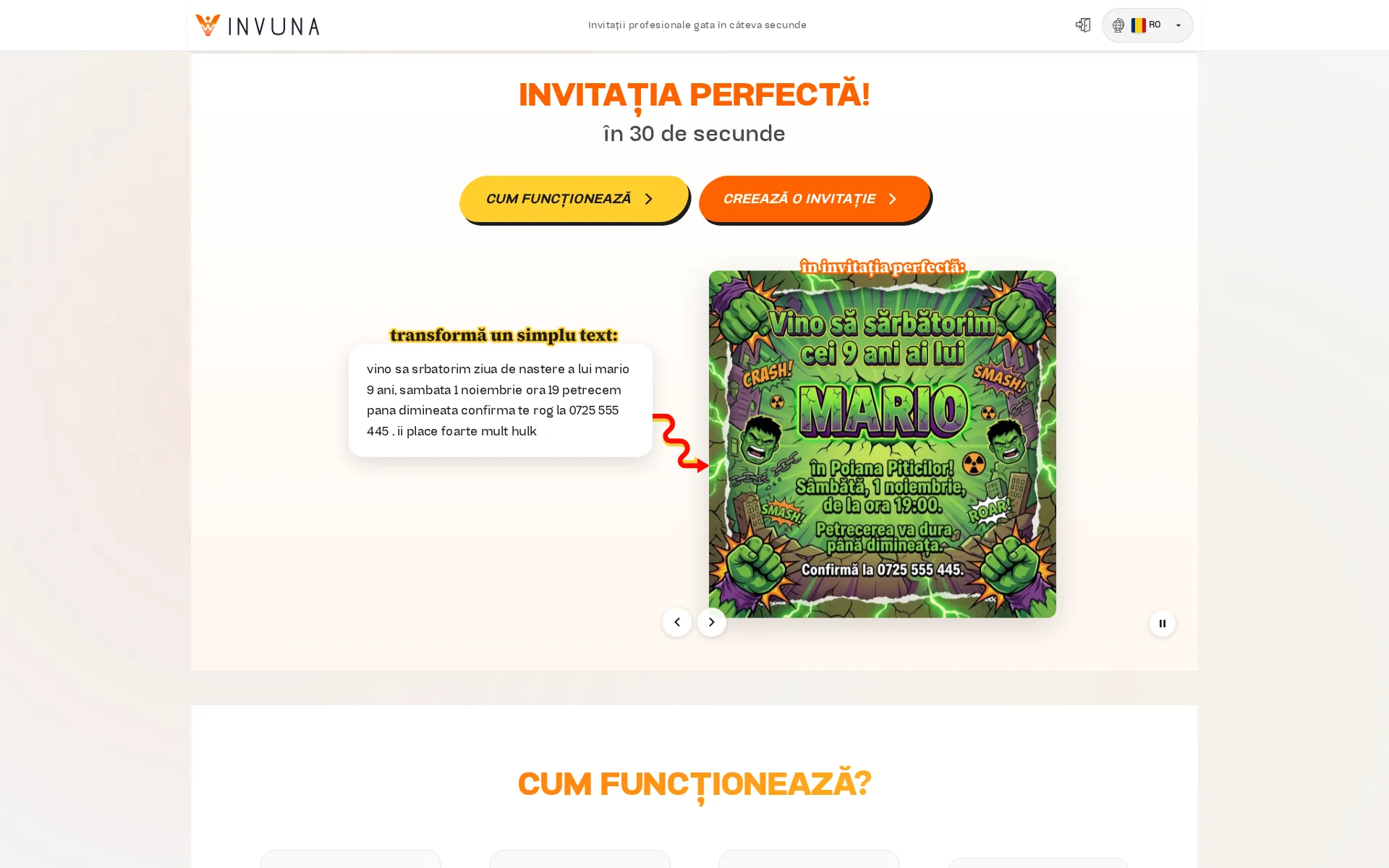
For the AI layer we built a pipeline that extracts structured event data from free-form natural language, validates and enriches it, and feeds two separate generation steps: one for the copy, one for the artwork. The output is a complete invitation with matching words and visuals.
For payments we use Stripe, with a flow that follows how people actually buy invitation software: no recurring subscription. Pay when you need it, use the credits, come back next time.
For RSVPs, the host gets a live dashboard: accepted, declined, pending, plus-ones, dietary notes, custom questions where relevant. For the calendar, an in-product event tracker with countdown timers and reminders. For language, a custom router serving Romanian, English, and Italian from day one — part of the navigation from the start, not an afterthought.
All of it built in-house. All of it maintained by us.
The Solution
Core product
- Natural-language event parser — takes a free-form description ("baptism for my niece, April 20th, 11am, orthodox at St. Nicholas, lunch after at Grandma's") and extracts structured fields: event type, date, time, location, host, dress code, gift preferences.
- AI text generation — produces invitation copy in the appropriate tone (formal, casual, playful, elegant) based on the event, to the same standard across all three supported languages.
- AI image generation — produces the artwork, matched to the event mood and the text. Not stock templates — artwork generated for that event's details and preferences.
- Card builder — assembles the generated text and imagery into a shareable invitation with clean typography, automatic layout, and quality that holds up in print as well as on screen.
- Sharing across the main channels — native share options for WhatsApp, Facebook, Instagram Story, Telegram, and email, plus a direct link that is copied automatically where native sharing isn't available on the device.
- RSVP system — recipients respond via a dedicated link. The host sees a live dashboard.
- Event calendar — hosts see all upcoming events with countdown timers, status at a glance, and quick access to sharing.
- Authentication — accounts to manage events, save drafts, and track responses over time.
02 · The RSVP dashboard
Product infrastructure
- Stripe payments — credit-based billing. Buy credits, spend them on generation and sending, top up when needed. No subscription, no auto-charge. The methods shown at checkout are the ones eligible for each customer's market and currency.
- Multilingual routing — Romanian, English, Italian. URL-level language detection, custom
language-loader.jsandlanguage-router.js, properhreflangsignals for SEO. - Schema.org JSON-LD —
SoftwareApplicationmarkup, so search engines understand what the product is. - Performance-first asset delivery — click-to-load video embeds via Bunny CDN, self-hosted fonts, lean JavaScript, deferred loading.
- Legal compliance — Privacy Policy, Terms of Service, Refund policy, GDPR-compliant consent flow.
Key Moments
The single input
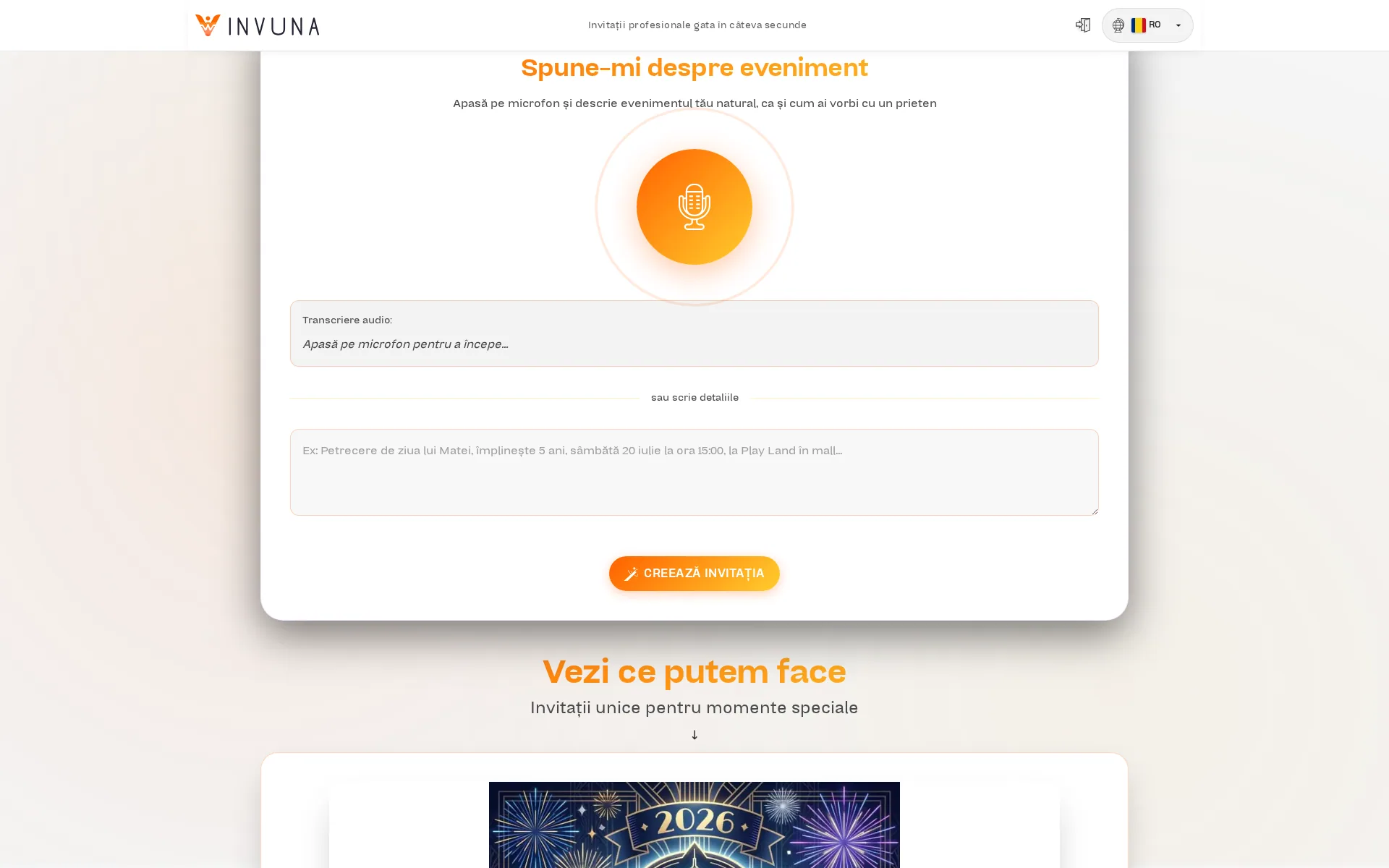
The thing that took the longest to land wasn't the AI — it was the input field. Almost every competitor opens with a template gallery and a thirty-field wizard. We open with one box. Type the event. The form behind it is generated dynamically based on what was extracted.
Two AI passes, one card
Most products that use AI for invitations bolt a single text generator onto a stock template library. We split text and imagery into two separate models with shared event context, so the copy and the artwork pull in the same direction. A formal baptism gets serif type and a soft palette. A cocktail birthday gets bold sans and a saturated accent. The card composes itself around both.
No forced subscription
The credit model was the decision that mattered most. Almost every competitor wants $9.99 a month. We looked at how people use the product and found that few of them want a subscription for a single event. They want it for a wedding, then again in two years for a baptism, then again for a birthday. So that is how we billed: a one-off Stripe payment, credits on the account, topped up when you have something to send.
The Stack
Frontend            Vanilla JavaScript (no framework)
                    Custom "Calimate" 900 display font
                    Source Serif 4 italics
                    Modular component architecture
Server              Express (Node.js)
Authentication      Custom flow — email + session
Payments            Stripe — credit-based, no subscription
AI text             Natural-language event parsing → contextual copy
AI image            Visual pipeline producing event-matched artwork
RSVP                Custom guest management — plus-ones, dietary, custom Qs
Calendar            In-product event tracker with countdown timers
Hosting             DigitalOcean App Platform
CDN / Security      Cloudflare
Video delivery      Bunny CDN
Structured data     JSON-LD SoftwareApplication
Languages           Romanian, English, Italian
The Result
Live at invuna.com. Real people are creating invitations for real events — weddings, baptisms, birthdays, graduations, corporate launches — in three languages, paying through Stripe, tracking responses, and sharing invitations on the channels their guests actually use.
We maintain the product day to day: we add features, fix bugs as they surface, and refine the AI generation layer based on what users ask for.
If the rest of our portfolio shows how we build for clients, Invuna shows how we build for ourselves. Same standards, same level of care. The difference is that here we answer for the decisions after launch too.