Almost every agency that builds custom websites will tell you custom is better — suppliers tend to recommend the kind of project they deliver most often. We build custom websites, so it's reasonable to read this comparison with some caution. Read it anyway, because we're going to tell you when a template is the right choice, in writing, on our own site.
The comparison everyone gets wrong
The usual framing is a price war: a template costs a few hundred euros, custom costs many times that, so custom must be for companies with money to burn. That comparison is too simple, because it compares the wrong thing. A template and a custom build are not two prices for the same product — they're two different products that happen to both be called "a website."
A template provides an existing structure and set of components for your content. A custom build is a structure designed around what your business actually needs to show, sell or explain. Between the two sit several intermediate options — themes adapted to different degrees, child themes, bespoke systems built on an existing CMS — so the label on a quote doesn't tell you much on its own. The price difference is real. So is the product difference. The only question that matters is: how closely does the solution need to fit your project?
What a template genuinely buys you
Let's be honest about the upside, because it exists:
- Speed. A template site can be live in days.
- Low entry cost. For a business testing an idea, that matters.
- Predictability. You can review the structure and core components before you pay — they're right there in the demo. The finished site still depends on configuration, your real content and whatever adaptation it needs.
If your website is a formality — a digital business card that says "we exist, here's our phone number" — a template does that job. We'll tell you this on the first call rather than sell you something you don't need. Some businesses genuinely need five pages that never change. That is not a custom-build problem.
What the template costs you later
The trouble starts when the website is supposed to do something — bring enquiries, sell products, perform in search, represent a brand that competes on quality. Then the trade-offs surface:
- You risk looking like everyone else. The same template runs on thousands of sites, often including your competitors'. Used more or less as shown in its demo, the result will resemble them. Good photography, typography and careful adaptation reduce that a great deal — up to a point.
- Plugins accumulate. Templates cover the average case. Anything your business needs beyond average usually gets added as a plugin. Plugins aren't inherently a problem; the risk rises when there are too many, when their functions overlap, when they stop being maintained, or when important parts of the site depend on them with no clear alternative.
- Changes can get expensive. Templates are easy to fill and, if chosen mainly on how the demo looks, hard to change. The moment you want the layout to serve your content instead of the demo's content, you're paying developer hours to bend a structure that was never designed for you.
- Performance has to be measured, not assumed. Some themes and plugins load assets on every page that you don't need; others are built and configured efficiently. The outcome depends on the implementation, images, fonts, hosting, caching and third-party scripts — and it's measured on the actual site, not inferred from the label.
None of this is a scandal. These are just the real trade-offs.
What "custom" actually means (it's not about the technology)
Here's the part most comparisons miss: custom doesn't mean exotic technology. Two of the projects we're most proud of are WordPress sites — the same WordPress that runs most templates.
Prokevin Tex is a workwear shop with 5,473 active product variations. It runs on WooCommerce — and on a theme we wrote from scratch, structured around how workwear buyers actually search: by trade, by size range, by personalisation method. The structure was designed around how his customers search, rather than taken from a generic demo.
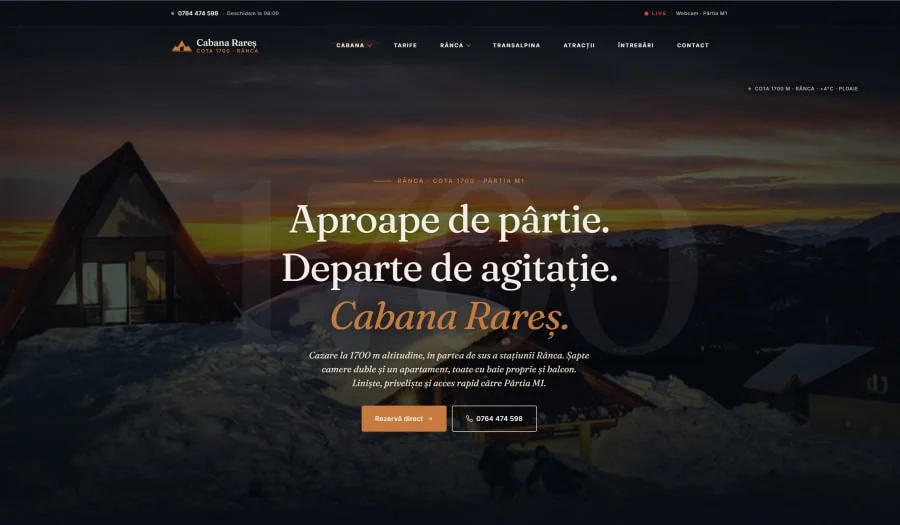
Cabana Rareș is a mountain guest house presented like a travel magazine — four content types defined for the project (rooms, ski slopes, trails and attractions), an editorial design system held in theme.json, no visual page builder. Also WordPress. Also a structure no off-the-shelf theme would have delivered as supplied.
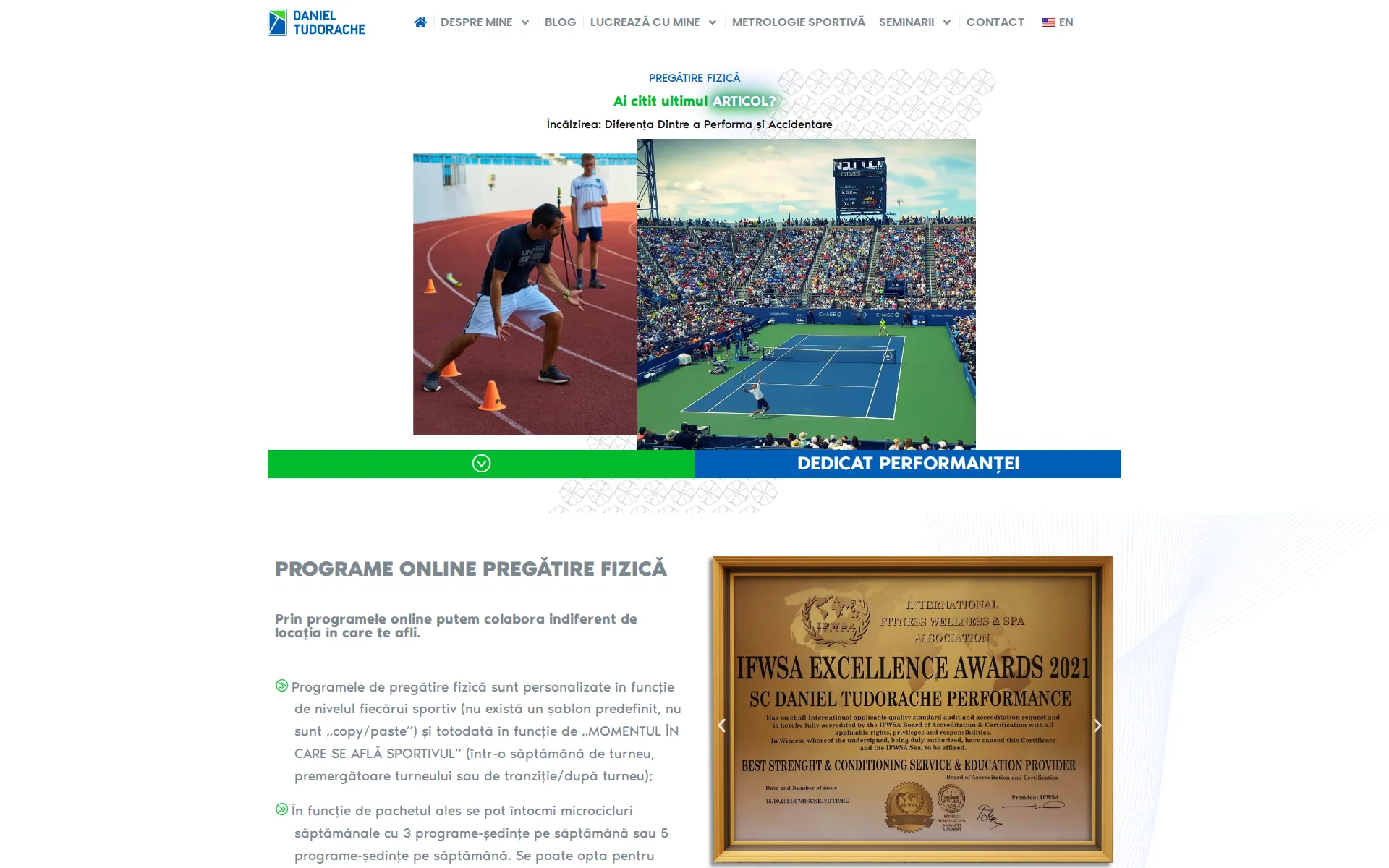
And when the project is a product with workflows of its own — accounts, payments, member content — it's worth assessing separately whether a CMS extended by many plugins is still the right base. Sometimes it is; there are well-supported membership and subscription extensions that cover standard requirements. Daniel Tudorache's training platform is a separate application because the data model, access flows and administration weren't standard — not because WordPress was ruled out from the start.
Custom means the structure follows the business. The technology — WordPress, Next.js, anything — gets picked afterwards, per project. Anyone who leads with the technology is usually recommending the platform they know best, not necessarily the one that fits the project.
The three-year view
The comparison most people run is day-one cost. The comparison that actually decides how much you spend is the three-year cost:
A poorly matched template site that's expected to perform can follow this path: launch cheap → accumulate plugins → slow down → become hard to change → get rebuilt. You don't pay for the rebuild on day one, but you pay for it — usually right when the business depends on the site the most. It isn't a rule: a well-chosen theme on a stable site can still be the cheapest option three years later.
A custom build moves the spend: more up front, in exchange for a structure designed around the changes you can foresee. At Cabana Rareș, a new room or ski slope is added from the WordPress admin, and the theme generates the page automatically — navigation, structured data and related content included, with no code involved. At Prokevin, the catalogue import already exists and gets adapted to the next supplier file rather than written again. That's what the up-front money bought.
Custom isn't a guarantee either. Code written for you doesn't maintain itself, and a weak or undocumented architecture gets expensive at any budget.
We won't pretend this maths favours custom for everyone. If the site won't need to change and doesn't need to compete, the cheaper route never gets expensive. The point is to run the three-year maths honestly before choosing, not after the rebuild quote arrives.
The verdict, side by side
A template is enough when
- The site is a formality — five pages that confirm you exist
- You're testing an idea and the budget belongs elsewhere
- Nothing about the structure will change for years
- Visual differentiation isn't a priority and the site's role is purely informational
Custom pays off when
- The site has to support enquiries, sales or bookings, not just hold information
- The content structure grows with the business — catalogues, services, languages
- Search traffic is part of the plan, and performance and content structure matter
- The site is part of the product: bookings, accounts, payments
How to decide in ten minutes
Answer these, honestly:
Does the website just need to confirm you exist, or generate enquiries, orders and bookings?
Inform only → a template is a reasonable choice. Actively support a commercial process → custom.
Will the content structure change as the business grows?
New services, catalogues, locations, languages? If yes, you want a structure designed for your content, not the demo's.
Who manages the content after launch?
What must your team be able to change without a developer, and how often? A well-configured theme can be easier to run than a poorly documented custom build — and the reverse is just as true.
Is search traffic part of the plan?
Performance and content structure affect experience and search visibility, but rankings depend on many signals. The technical choice can help or hinder; it doesn't decide positions on its own.
Is the site itself part of the product?
Bookings, accounts, member content, payments — then it needs a separate technical assessment. Sometimes an existing platform covers it; sometimes it justifies an application.
What happens in year three?
If the honest answer is "we'll probably rebuild it," price the rebuild into today's comparison.
If your answers cluster toward the first options — take the template, keep the budget, come back when the business outgrows it. No hard feelings; that's the right call for that moment.
If they cluster toward the second — the cheap option is the expensive one, and it's just deferring the bill.
Where we stand
We build custom because the projects that come to us usually have requirements a theme used more or less as supplied doesn't cover well — deep catalogues, products with workflows of their own, brands competing on quality.
If you're not sure which side of the line your project sits on, describe it to us. You'll get an honest read — including "a template is fine for now," if that's the truth.
And if your next question is what the custom side actually costs — we wrote the honest version of that answer too, with real numbers.