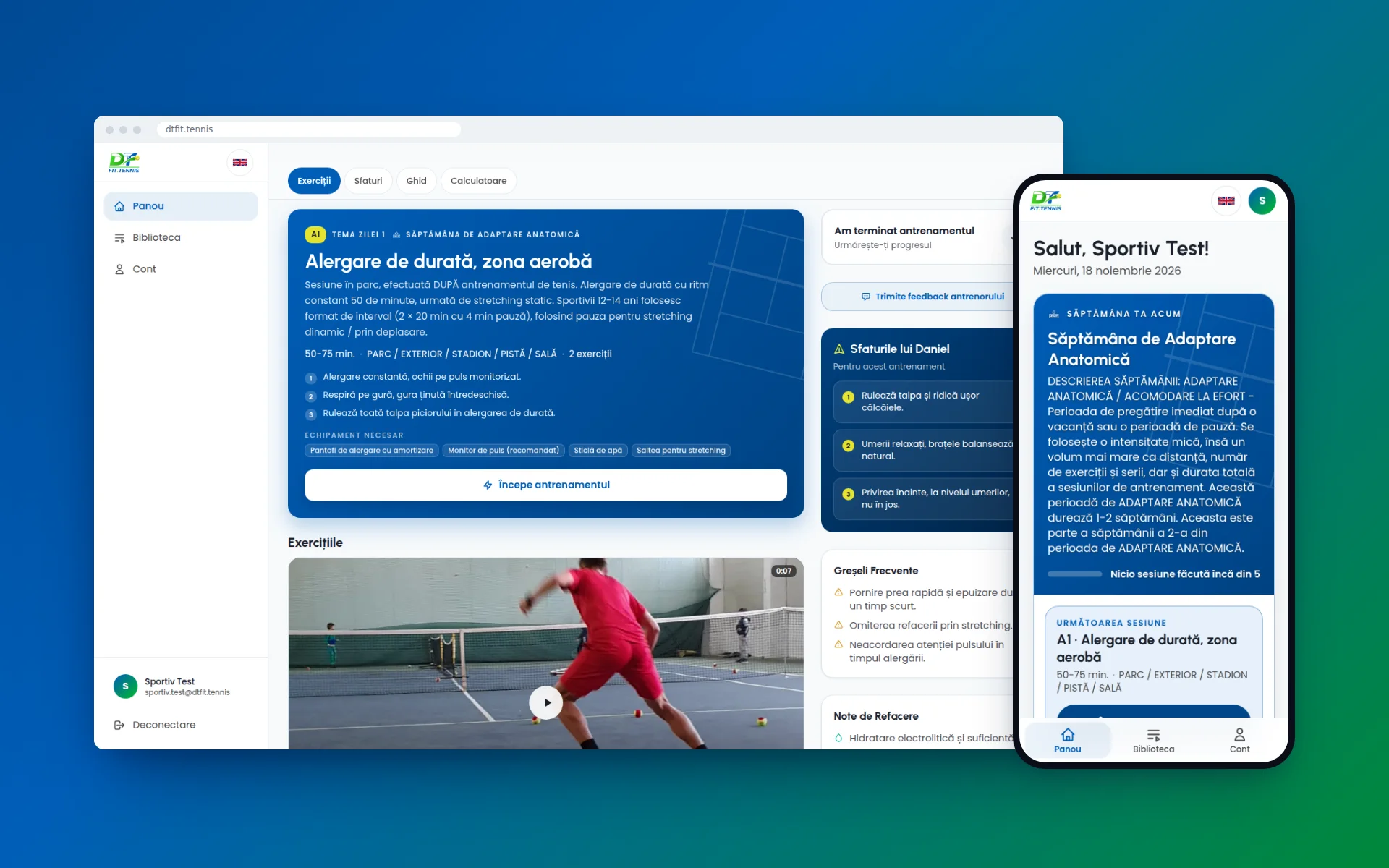

Daniel Tudorache does nearly all his work on a phone, and he was never going to learn an admin panel. So the editing happens on the page his athletes see. He taps a line of text, says what it should be, and saves.
Overview
Daniel Tudorache has been a strength and conditioning coach in tennis for 30 years. Horia Tecău, Florin Mergea, Sorana Cîrstea and Irina Begu are among the players he has trained. His website introduces him. The app is for the athletes he cannot stand next to on court: juniors from the age of 12, professional players and other coaches.
A free account comes with the pre-match warm-up and recovery programmes. Everything else is unlocked by a single payment that gives 30 days of access.
We built the whole thing: the athlete's app, the coach's studio, payments, the video library, and the route his content takes from his phone to an athlete's screen. It is live at dtfit.tennis.
The app at launch
- 5
- Types of training week
- 22
- Programmes
- 651
- Training clips in the library
The challenge
Daniel's method is a season, not a list of workouts. An adaptation week looks nothing like the week before a tournament. An athlete needs to find the week they are in, quickly, and "programme 14" tells them nothing.
The content was the second problem. He has more than 3,000 plans written over the years and hundreds of clips filmed on his phone. He writes the way he talks. If every correction had to go through a developer, the app would never have been finished.
The third was payment. For juniors, a parent pays and a child trains. The price and the end date had to be obvious, with no subscription quietly renewing itself.
01 · The dashboard
The approach
Two decisions shaped everything else.
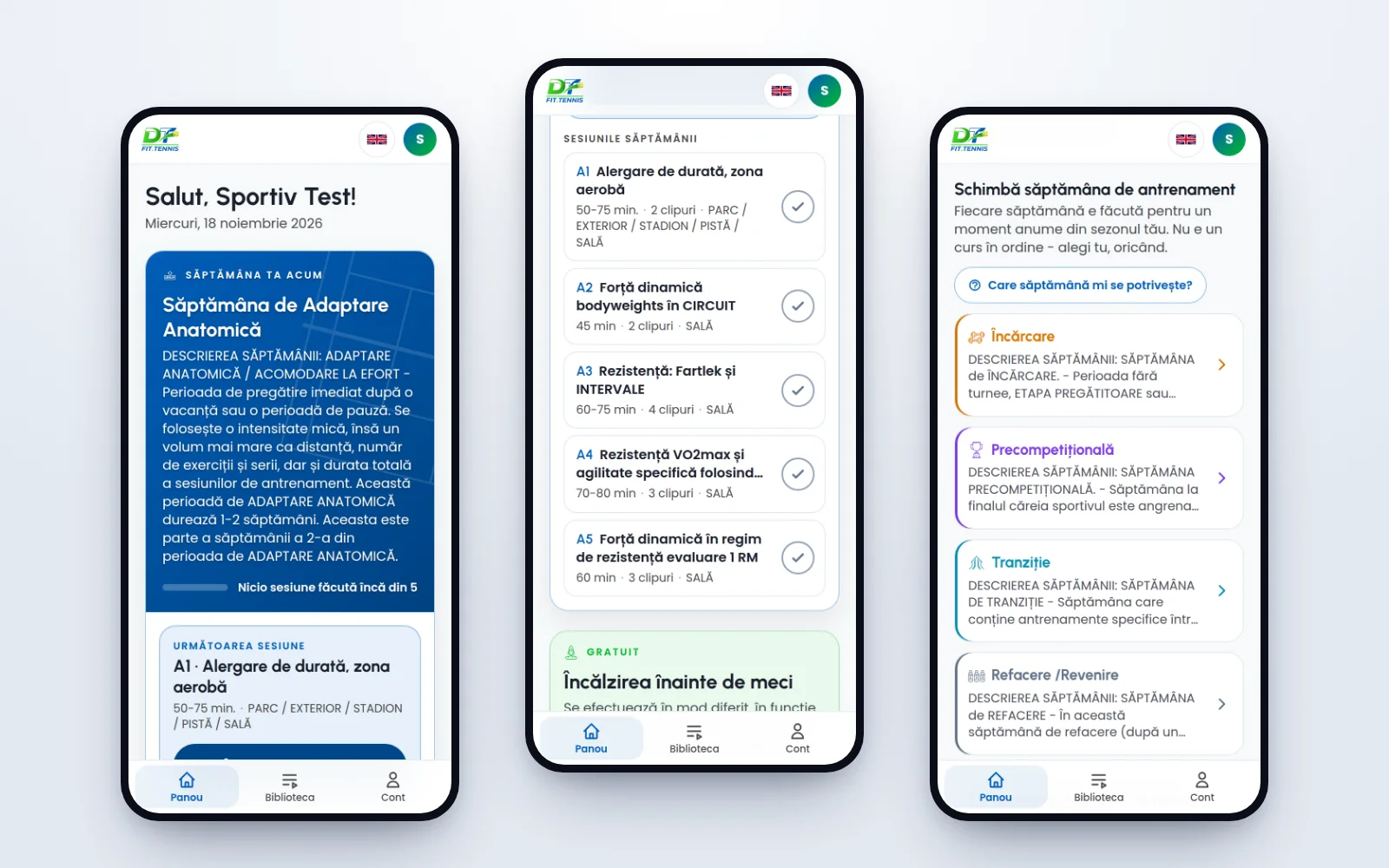
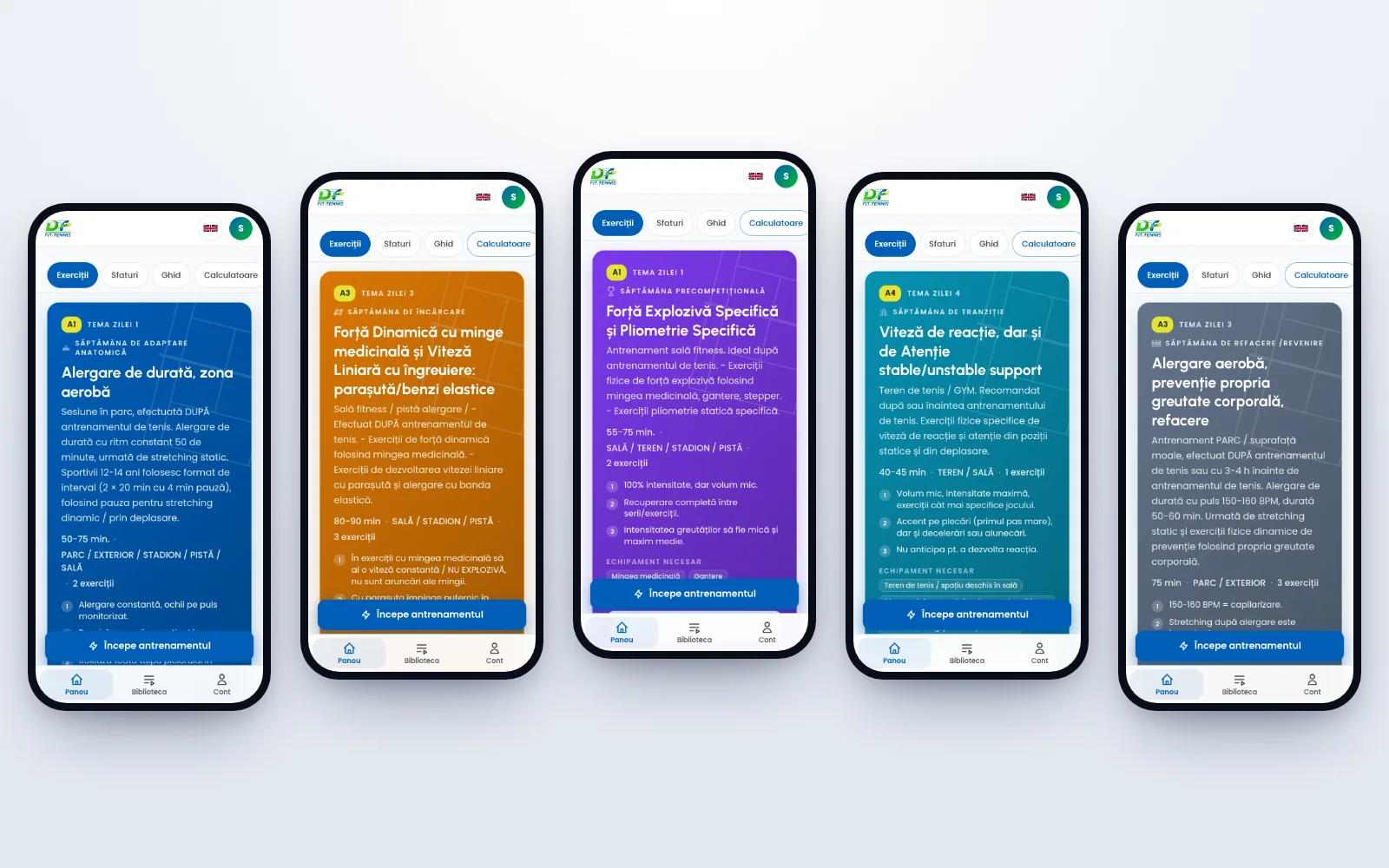
The first was to make the week the unit of the app. There are five types of week, and each has its own colour, description and programmes. Athletes pick the week they are in now. They never pick a number from a list.
The second was to make the coach the author. Anything an athlete reads, Daniel can change on the page where it appears. There is a separate studio as well, designed for someone holding a phone in one hand: large type, one obvious action on each screen, and no technical vocabulary.
The app is drawn in the blue and green of a tennis court, with faint court lines on every programme card. There is little motion, and none at all for visitors who have asked their device to reduce it.
02 · The weeks
03 · On a phone
The solution
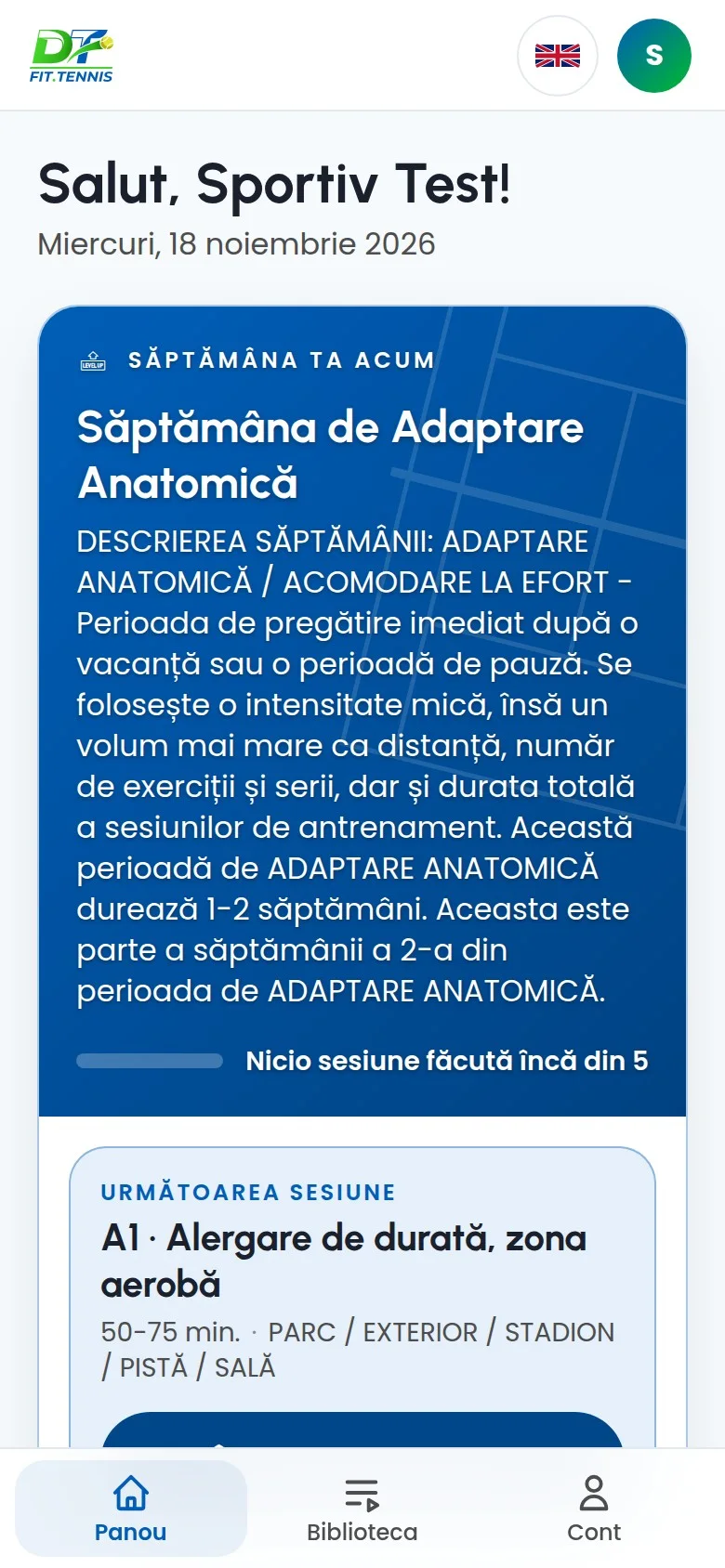
- Weeks, not lists: adaptation, loading, pre-competition, transition and recovery. The dashboard shows the current week, the next session and what has already been ticked off.
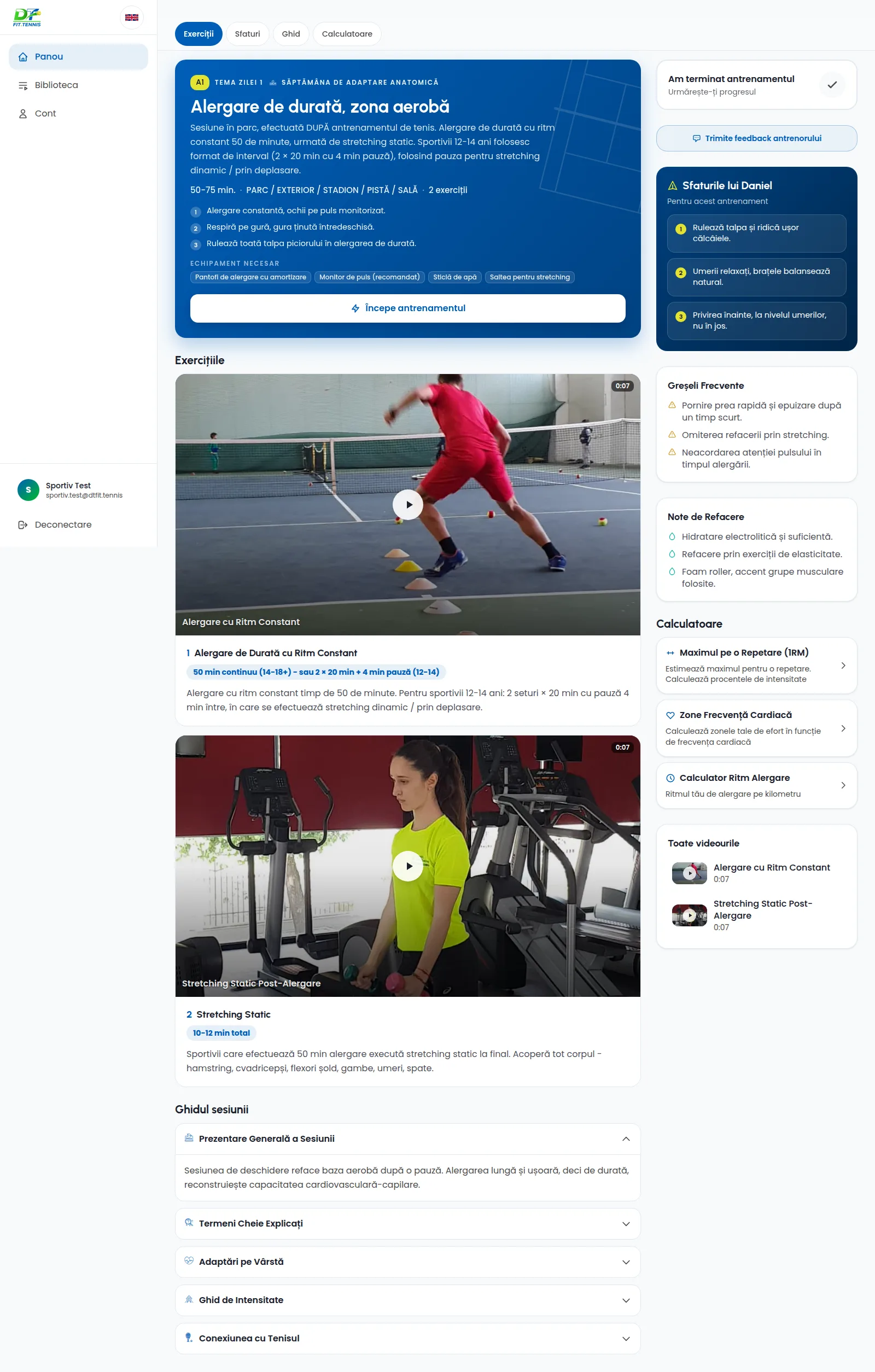
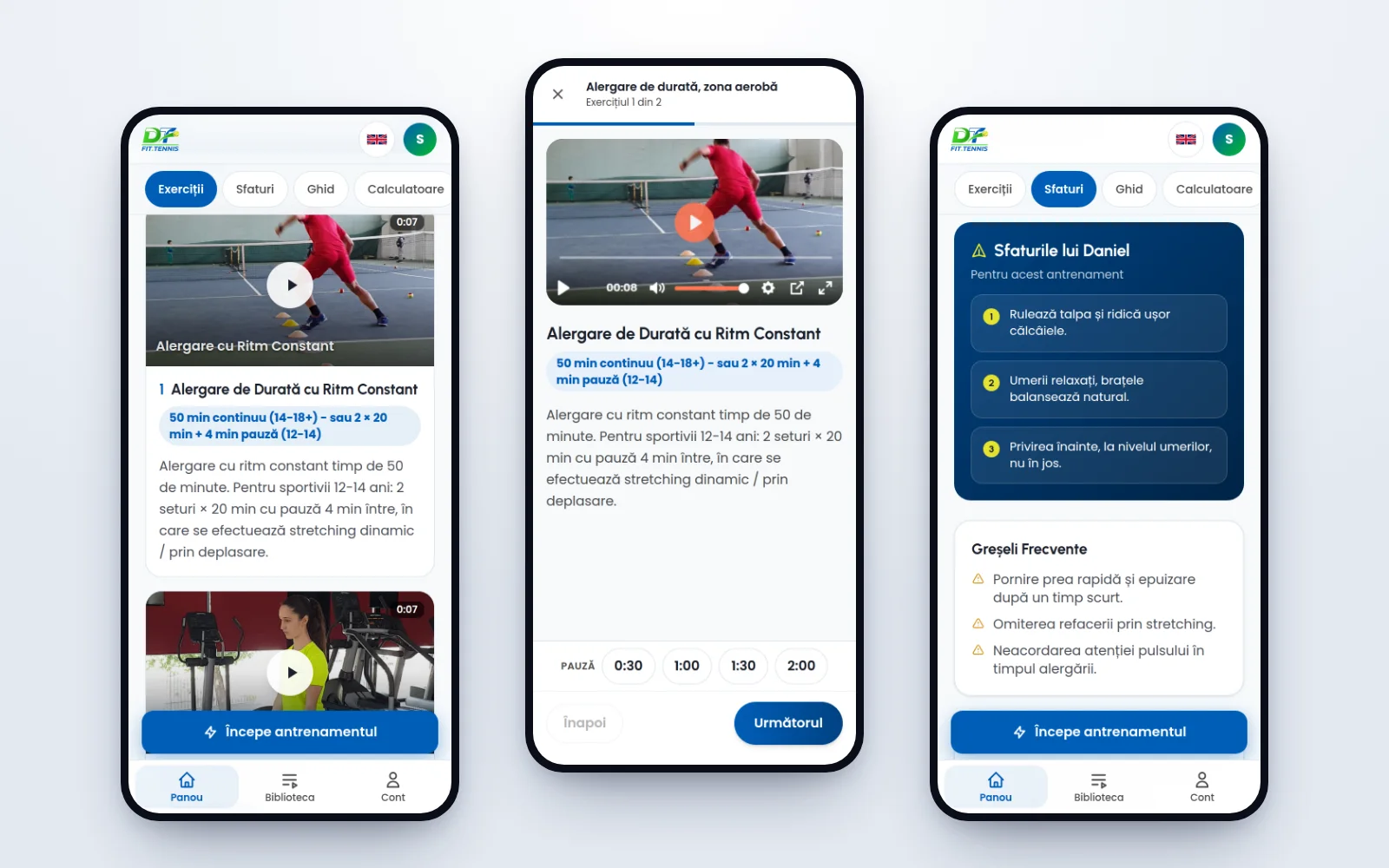
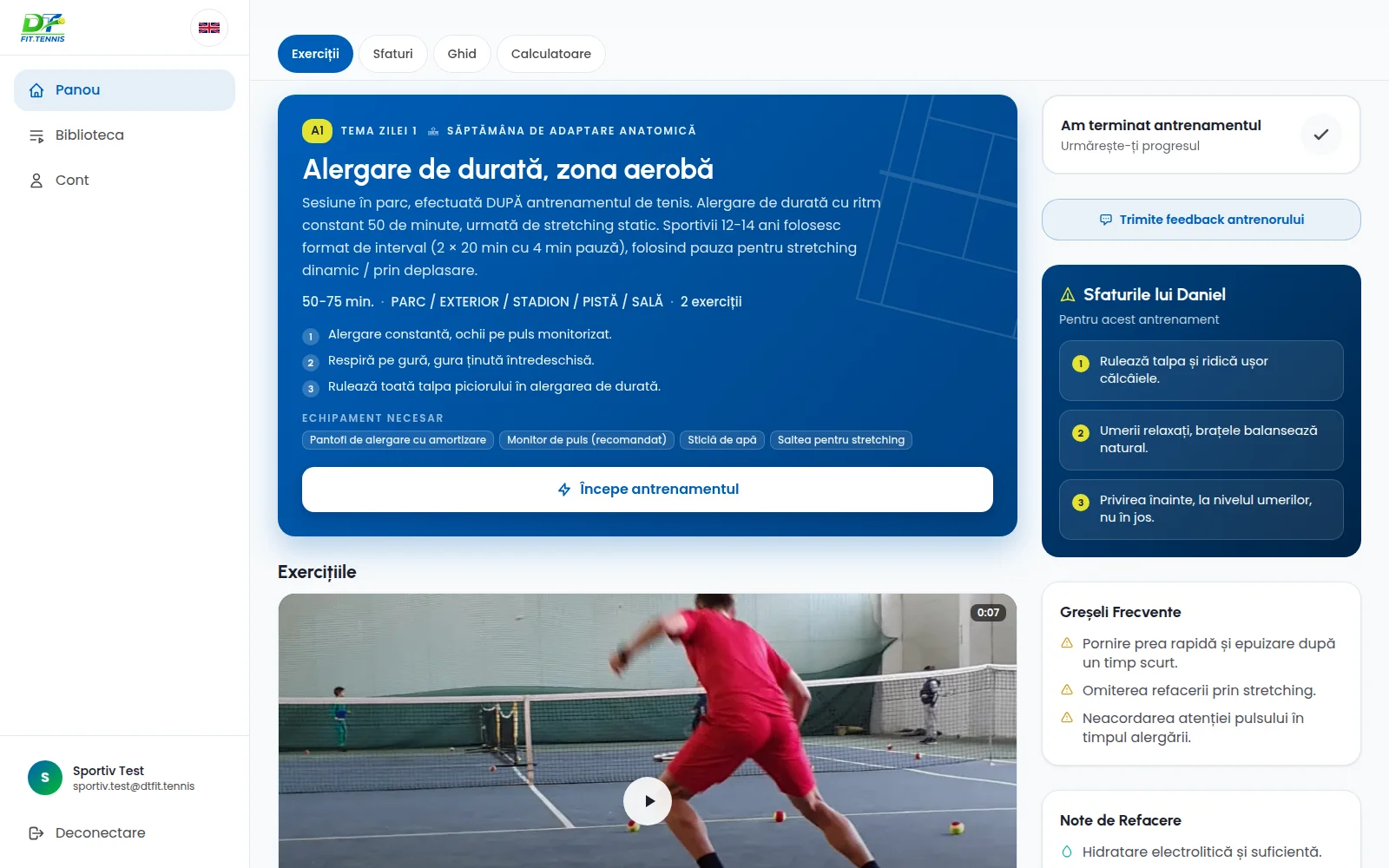
- A programme on one screen: the theme of the day, how long it takes, where it happens, the equipment, each exercise with its clip, Daniel's tips, common mistakes and recovery notes.
- Workout mode: one exercise at a time, with the clip at the top, the sets below it and a rest timer one tap away.
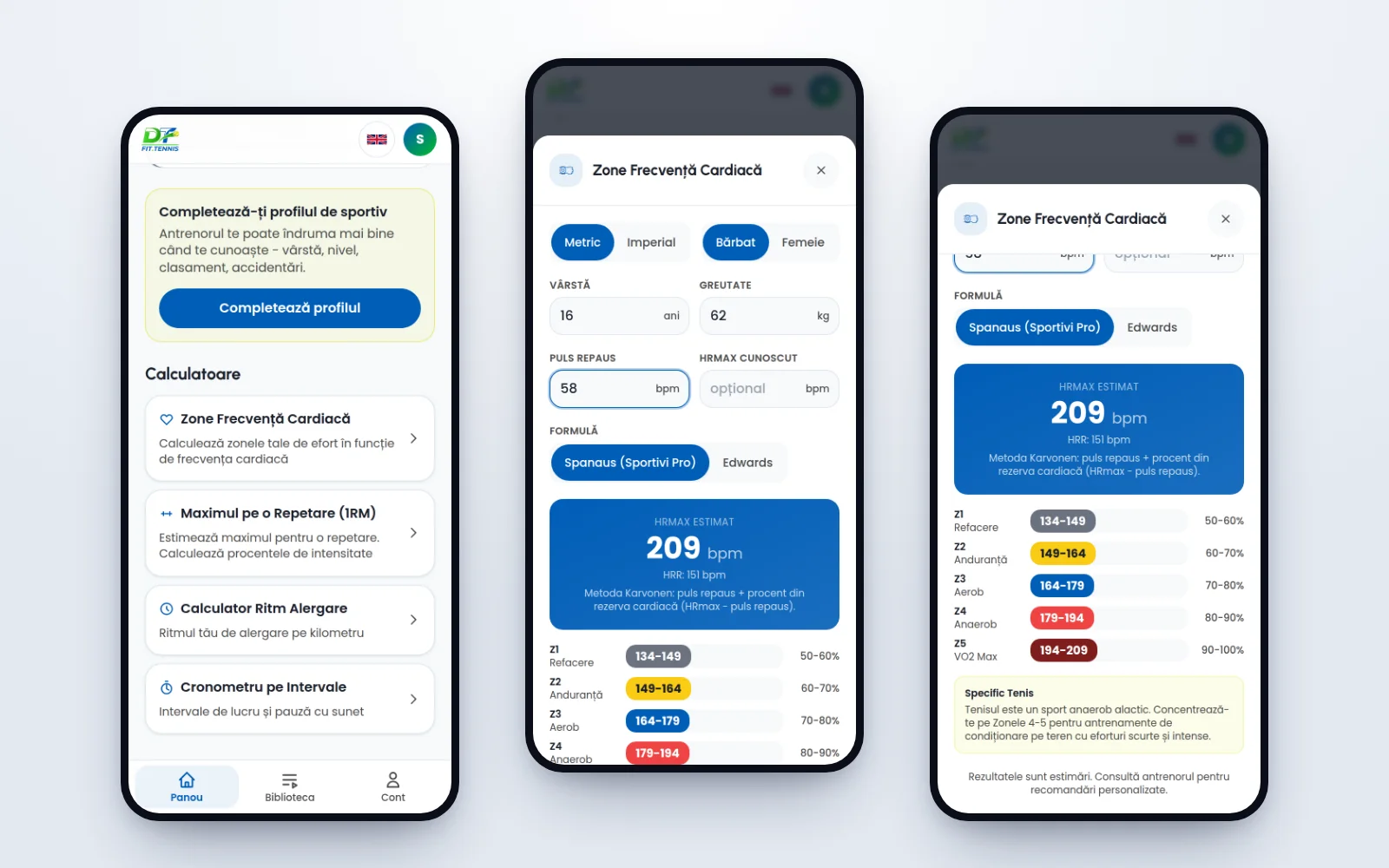
- Calculators: heart-rate zones, with a formula for performance athletes, one-rep max, running pace and an interval timer.
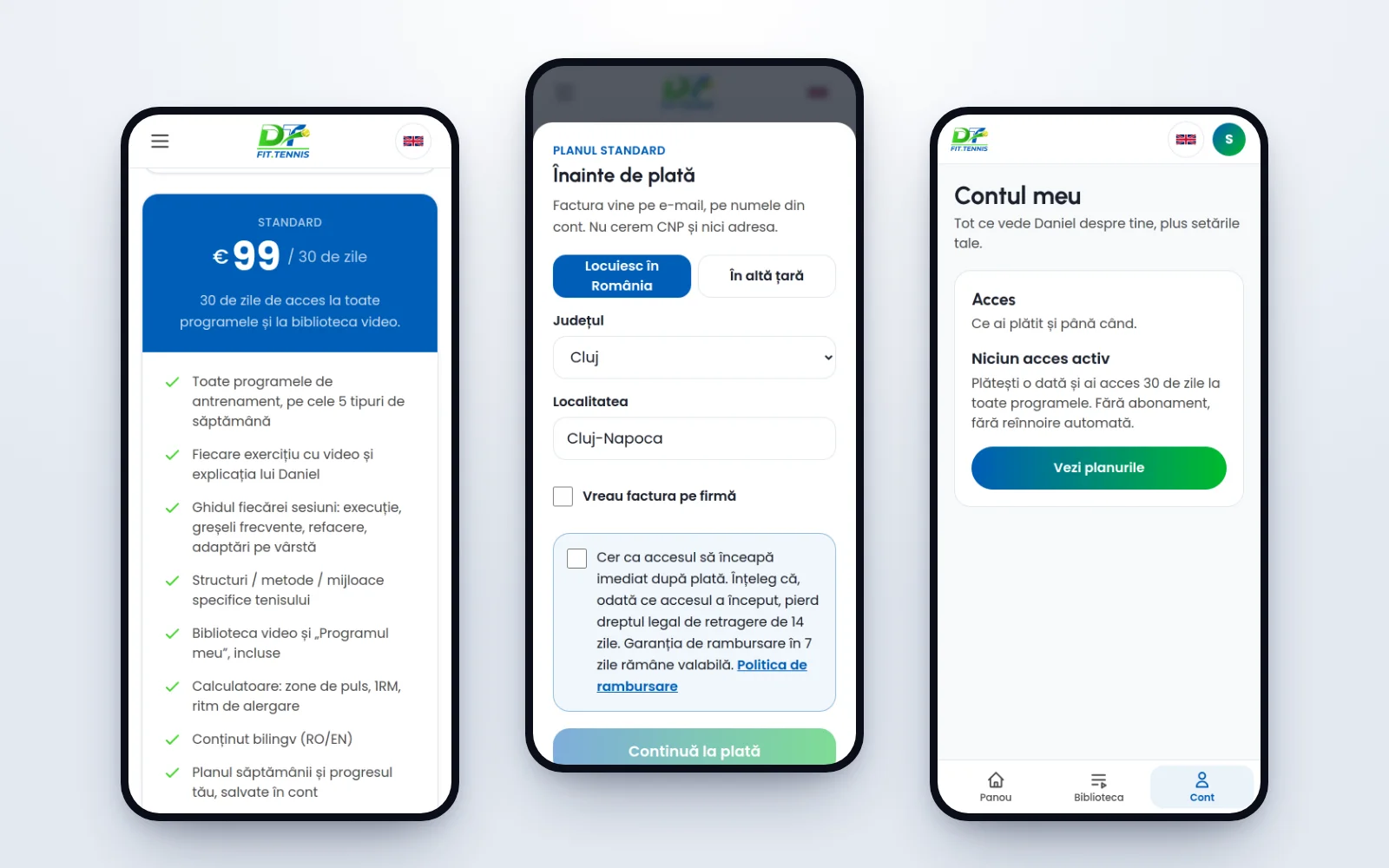
- One payment, 30 days: three plans, paid by card through Stripe, with no automatic renewal. Access opens by itself once the payment is confirmed and is checked on the server on every page.
- Premium, working directly with Daniel: text and voice messages inside the app, personal programmes and feedback on clips the athlete uploads.
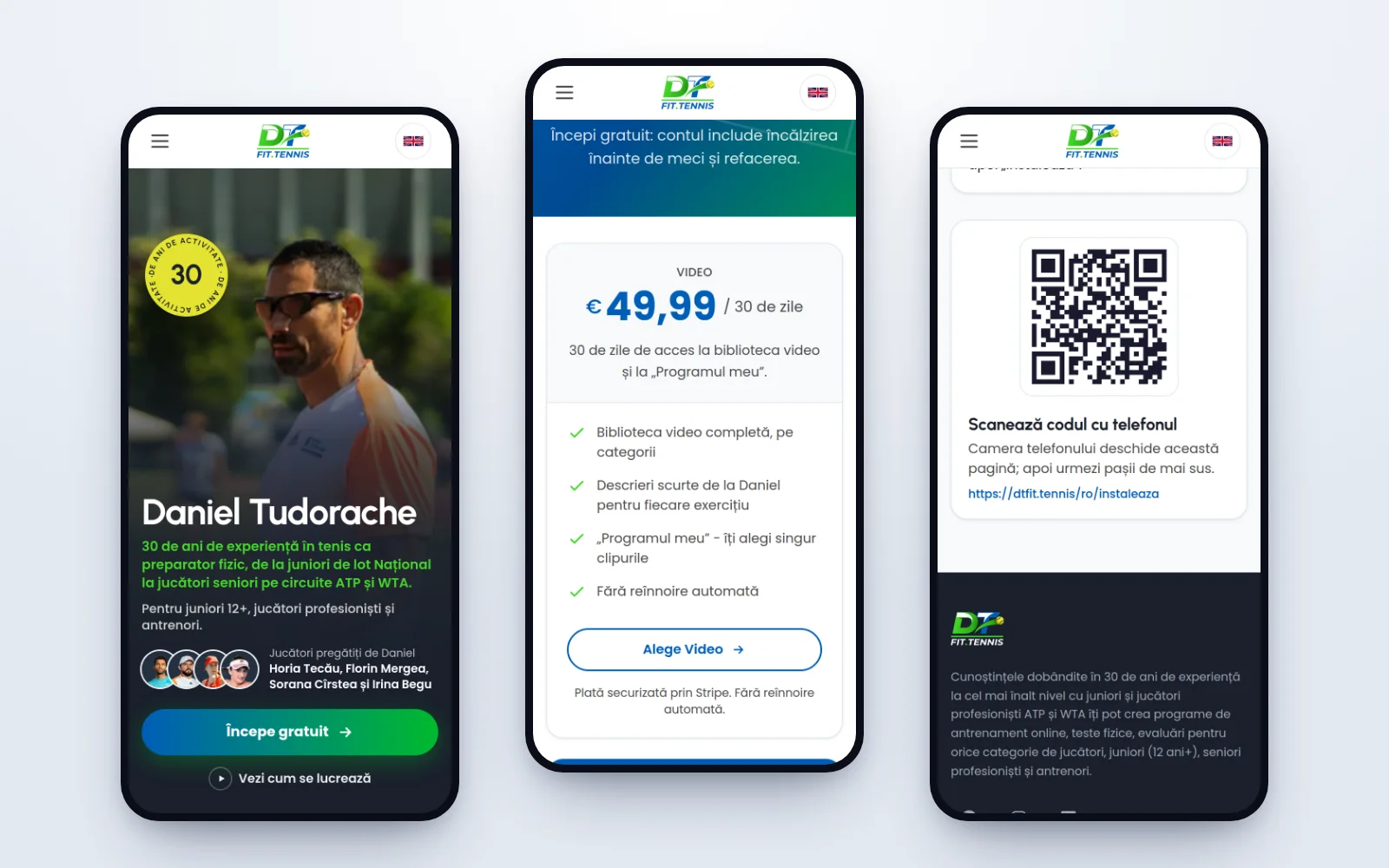
- No app store: it installs from the "Install" page, with a QR code. Athletes are notified when Daniel sends a programme or a message, and reminded before their access runs out.
- Two languages: Romanian and English, each at its own addresses. The English was reviewed in full before launch.
- No passwords: you sign in with a code sent by email. The app sets only the cookies it needs, and its analytics set none.
- Monitoring: a daily check on the services the app depends on (video, payments, email, Drive) writes to us only when one of them is down.
04 · A programme
05 · Calculators
Key moments
The coach writes with his voice, on the athlete's page
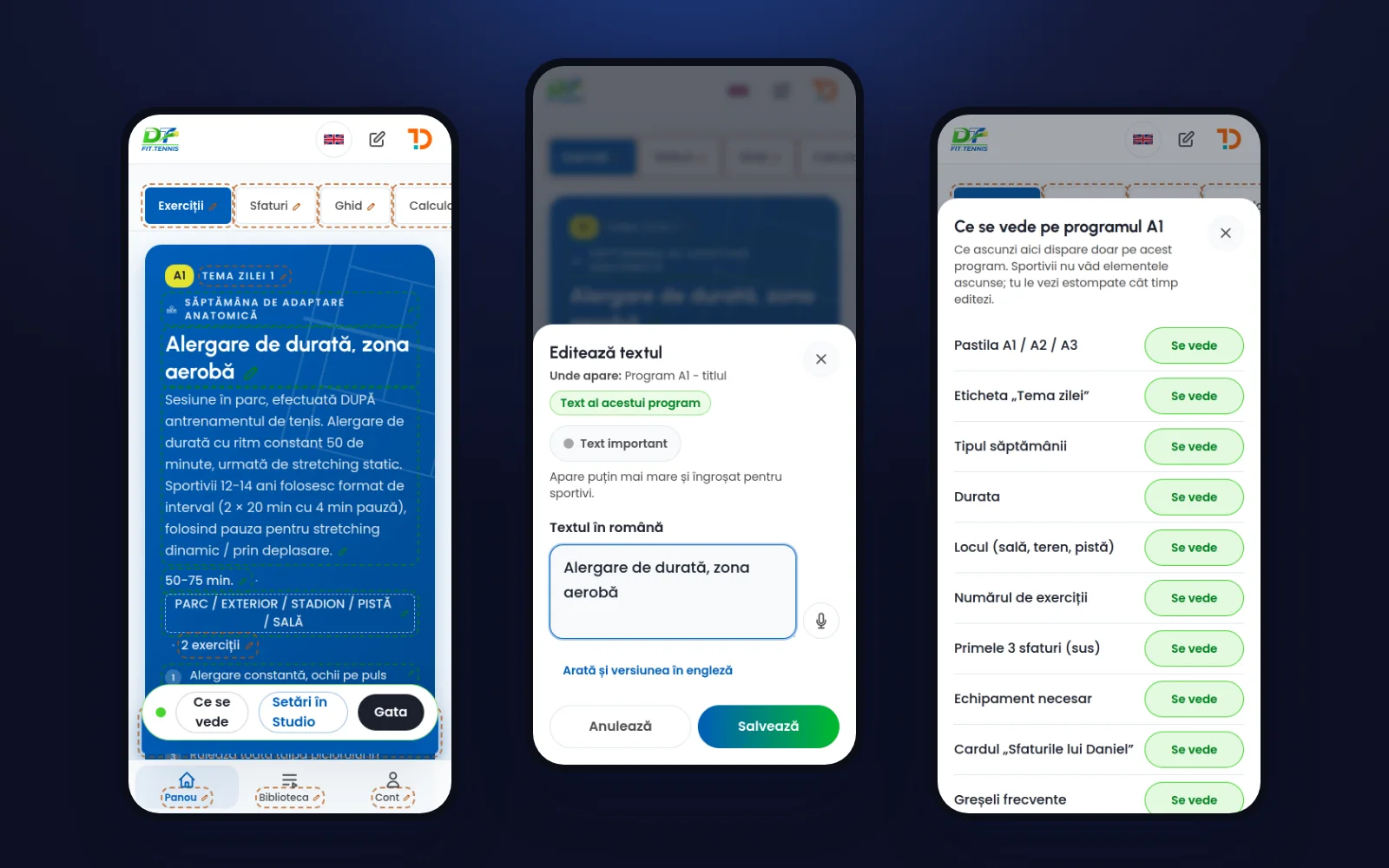
We did not ask Daniel to learn a panel. He taps "Edit the texts", touches a title and dictates. The text appears as he said it, with the correct Romanian accents. The app tidies the dictation without changing his words, and fills in the English when he saves.
Under each text the app says where it is used: on this programme only, or across the whole app. That stops him changing a shared label by accident.
06 · Editing on the page
The week as a way of working
A player between two tournaments is not searching for "strength training". They want to know what to do this week.
Each type of week keeps its colour from the home page all the way into workout mode, so an athlete always knows where they are in the season.
07 · On desktop
His Drive is the library
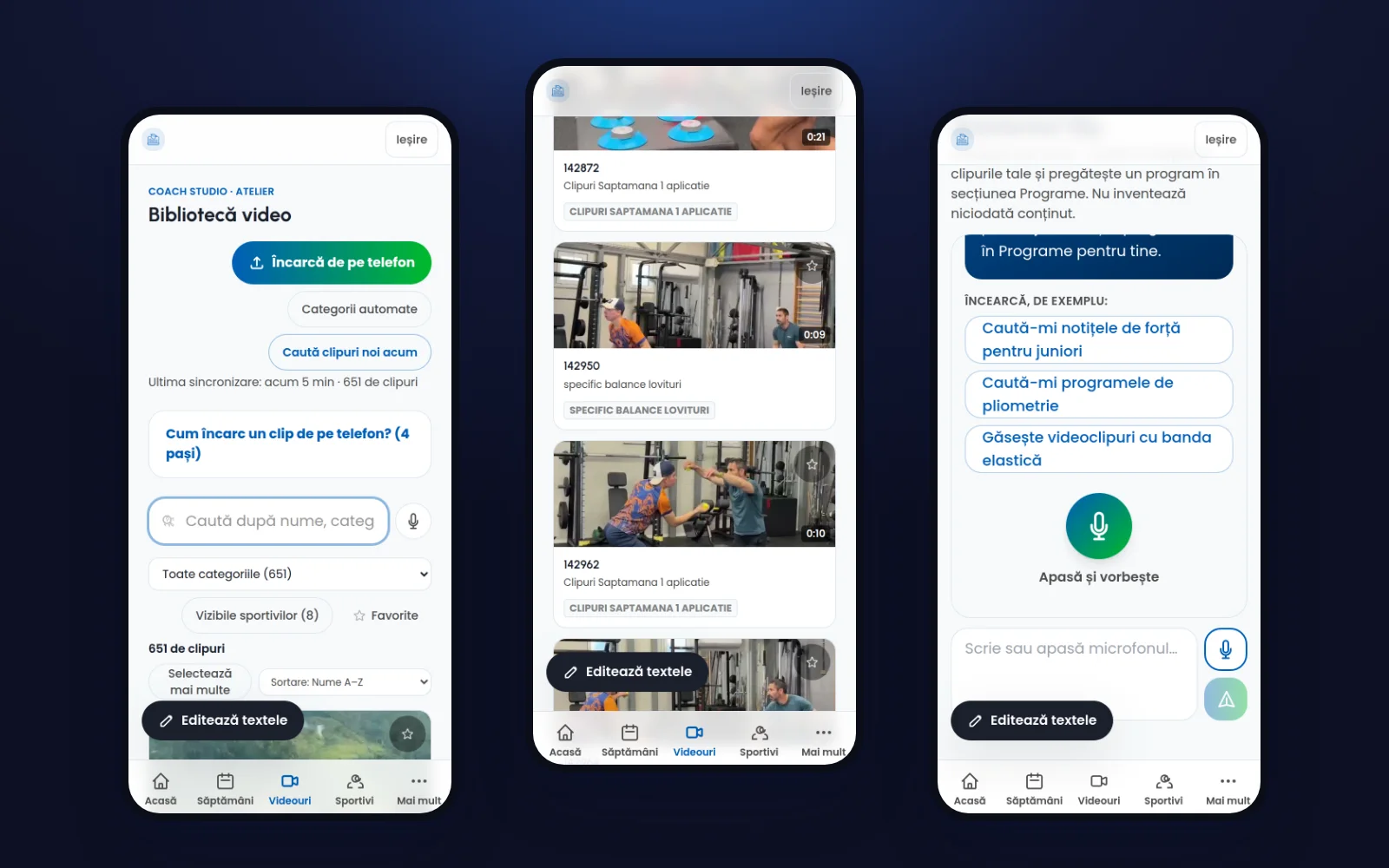
Daniel was already filming his sessions and keeping the clips in Google Drive. We left that habit alone. He drops a clip into a folder and it appears in the app within the hour. He can also upload straight from his phone.
The Drive clips have no public address. They play only inside the app, after the athlete's access has been checked.
From his old plans and his clips, Daniel puts together a programme and sends it to a single athlete. An assistant searches both when he asks, by voice, and drafts the programme from what it finds. It adds nothing that is not Daniel's.
08 · The video library
Nothing is lost
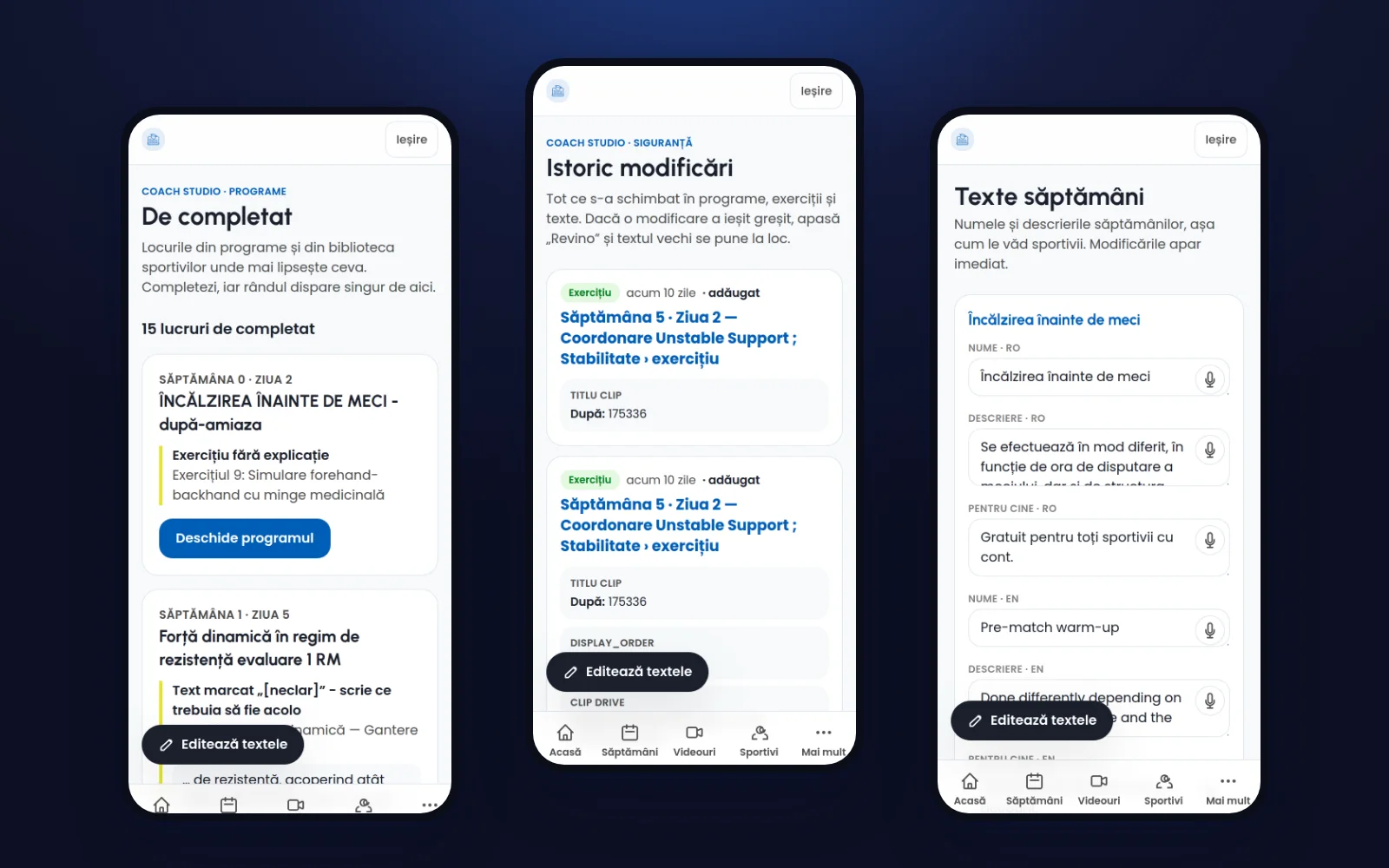
Someone who writes his own content needs to be able to make mistakes safely. Every change goes into a history, and the previous text comes back with one tap. A "To complete" list shows Daniel where something is still missing.
Behind the app
- 3,201
- Plans from his archive, imported and searchable
- 8,267
- Content changes kept in the history
- 232
- Code updates between 1 March and 8 November 2026
09 · History
Pay once, no subscription
We chose a one-off payment for 30 days, in three tiers. A parent knows exactly what they are paying and when it ends. Before the payment we ask only for a county and a town, which the invoice needs.
Stripe confirms each payment to the server. The confirmation is recorded once, however many times it is sent again.
10 · Payment
A web app rather than a store app
It installs from the site, on iPhone and Android, and sends notifications. There is no store commission to pay, and no approval to wait for each time something is corrected.
11 · Installing
Technology
App                Next.js, React, TypeScript, Tailwind CSS
Data and accounts  Supabase: PostgreSQL, row-level security
Payments           Stripe, one-off payments
Video              Bunny Stream, Google Drive API
Assistant          Anthropic API
Languages          next-intl, Romanian and English
Notifications      Web Push
Hosting            DigitalOcean
The result
The app is live in Romanian and English, and has been taking real payments since 8 November 2026.
Daniel runs his own content. The evening before launch he rewrote an entire programme himself: ten exercises, each with its clip.
We stay on for maintenance and for whatever comes next. His website has a case study of its own.